Happy New Year: GPT in 500 lines of SQL
Translations: Russian
This year, the talk of the town was AI and how it can do everything for you.
I like it when someone or something does everything for me. To this end, I decided to ask ChatGPT to write my New Year's post:
"Hey ChatGPT. Can you implement a large language model in SQL?"
"No, SQL is not suitable for implementing large language models. SQL is a language for managing and querying data in relational databases. Implementing a language model requires complex algorithms, large datasets, and often deep learning frameworks, which are beyond the capabilities of SQL."
It just proves that if you want something done right, you have to do it yourself.
Encouraged by this optimistic forecast, today we will implement a large language model in SQL.
Theory
While writing this post, I used the wonderful article GPT in 60 Lines of NumPy by Jay Mody. This article explains the inner workings of a GPT model much better than I can hope to do. Still, a little recap is in order.
What is a generative large language model from a technical perspective?
A generative LLM is a function. It takes a text string as input (called "prompt" in AI parlance), and returns an array of strings and numbers. Here's what the signature of this function looks like:
llm(prompt: str) -> list[tuple[str, float]]
This function is deterministic. It does a lot of math under the hood, but all this math is hardwired. If you call it repeatedly with the same input, it will always return the same output.
It may come as a surprise to anyone who's been using ChatGPT and similar products because they can give different answers to the same question. Yet, it's true. We will shortly see how it works.
What are the values this function returns?
Something like this:
llm("I wish you a happy New")

0       (' Year', 0.967553)
1       (' Years', 0.018199688)
2       (' year', 0.003573329)
3       (' York', 0.003114716)
4       (' New', 0.0009022804)
…
50252   (' carbohyd', 2.3950911e-15)
50253   (' volunte', 2.2590102e-15)
50254   ('pmwiki', 1.369229e-15)
50255   (' proport', 1.1198108e-15)
50256   (' cumbers', 7.568147e-17)
It returns an array of tuples. Each tuple consists of a word (or, rather, a string) and a number. The number is the probability that this word will continue the prompt. The model "thinks" that the phrase "I wish you a happy New" will be followed by the character sequence " Year" with a probability of 96.7%, " Years" of 1.8% and so on.
The word "think" above is quoted because, of course, the model doesn't really think. It mechanically returns arrays of words and numbers according to some hardwired internal logic.
If it's that dumb and deterministic, how can it generate different texts?
Large language models are used in text applications (chatbots, content generators, code assistants etc). These applications repeatedly call the model and select the word suggested by it (with some degree of randomness). The next suggested word is added to the prompt and the model is called again. This continues in a loop until enough words are generated.
The accrued sequence of words will look like a text in a human language, complete with grammar, syntax and even what appears to be intelligence and reasoning. In this aspect, it is not unlike a Markov chain which works on the same principle.
The internals of a large language model are wired up so that the next suggested word will be a natural continuation of the prompt, complete with its grammar, semantics and sentiment. Equipping a function with such a logic became possible through a series of scientific breakthroughs (and programming drudgery) that have resulted in the development of the family of algorithms known as GPT, or Generative Pre-trained Transformer.
What does "Generative Pre-trained Transformer" mean?
"Generative" means that it generates text (by adding continuations to the prompt recursively, as we saw earlier).
"Transformer" means that it uses a particular type of neural network, first developed by Google and described in this paper.
"Pre-trained" is a little bit historical. Initially, the ability for the model to continue text was thought of as just a prerequisite for a more specialized task: inference (finding logical connections between phrases), classification (for instance, guessing the number of stars in a hotel rating from the text of the review), machine translation and so on. It was thought that these two parts should have been trained separately, the language part being just a pre-training for a "real" task that would follow.
As the original GPT paper puts it:
We demonstrate that large gains on these tasks can be realized by generative pre-training of a language model on a diverse corpus of unlabeled text, followed by discriminative fine-tuning on each specific task.
It was not until later that people realized that, with a model large enough, the second step was often not necessary. A Transformer model, trained to do nothing else than generate texts, turned out to be able to follow human language instructions that were contained in these texts, with no additional training ("fine-tuning" in AI parlance) required.
With that out of the way, let's focus on the implementation.
Read the rest of this entry »
Happy New Year: solving the Rubik’s Cube in SQL
It's the holiday season again. This time of year, in between shopping, visiting friends and watching old movies on TV, I really like to solve puzzles. I like them all: crossword puzzles, jigsaw puzzles, logic puzzles, you name it. But one thing I never quite learned to solve is most popular puzzle in the world, the Rubik's Cube. It's time to fill the gap!
This year, we will be solving the Rubik's Cube in SQL.
The Rubik's Cube probably needs little introduction, but just in case. This is a small plastic cube made of 3×3×3 = 27 smaller cubes (called cubies in the community's parlance). It's equipped with a clever mechanism which lets you turn its faces about all six axes. Initially, the cubies are positioned so that every face has its own uniform color, but as you turn the faces in different directions, all the colors mix and spread around. Your goal is to restore the original colors by putting the cubies back in place.
The cubies in the centers of the faces never move relatively to each other. The red center always opposes the orange center, the blue the green, and the white the yellow. Also, if you look at the red, white and blue centers, they will always run clockwise in that order. No matter how you turn the faces on the cube, the center cubies will always stay this way.
Each cubie is unique. Apart from the center cubie in the middle (which we never see) and the six face center cubies, there are 8 corner cubies (with three stickers on them) and 12 edge cubies (with two stickers on them). In a solved cubie, all faces have the same color. This means that every corner cubie has its own unique set of colors, and every edge cubie too. The blue-white edge is the one sitting on the blue and white faces in a solved cube, and so it. Naturally, it means that there's no such thing as a red-orange edge or a red-orange-green corner (because the red face opposes the orange). Since the stickers stay on the cubies as we move them about, we can just name the cubies by their colors. There is only one red-white-blue corner which would move about but always stay red-white-blue.
When the cube is scrambled, it might seem to the untrained eye that the cubies can turn any old way. Yet, that's not the case. Because of the way the mechanism works, there are certain principles that limit the cubies' positions. For instance, no matter how you turn the cube, you cannot make a single corner or a single edge cubie turn in its place, or make just two cubies trade their places, with all the rest staying in place. These limitations are known as cube laws. In fact, if you take the cube apart and put the cubies back in random order, there's only one chance in 12 that you will get it right (i.e. you make a cube that can be solved by making legal turns). It will come handy later.
To describe a cube scramble, we could just list the stickers' colors ("the colors on the face with the red center, counting from the red-white-blue corner clockwise are red, white, yellow, green…") or cubie positions ("the red-yellow-green corner cubie is between the orange, white and green faces…"). But turns out, there is another way.
Similar to other famous combination puzzles, the Rubik's Cube runs on group theory. Even the Wikipedia page on group theory is illustrated by nothing else than an image of a Rubik's Cube. For those wishing to delve into the finer detail, there's a nice article on Wikipedia on the Rubik's Cube group. For the rest of us laypeople, this means that every valid state of the cube can be described by the sequence of moves (face turns) that have lead to this state. Come to think of it, that's only natural: if the cube came out of the box solved and we only scrambled it using the legal moves, then if we replay these moves on another cube, we will get the same scramble with the same colors. So, instead of naming the colors or cubies' positions, we can just say "take a solved cube, turn the white face clockwise, then the red face counterclockwise, then…"). In the end, it will be the same thing.
Note that in the previous paragraph I said that it would be possible, not that it would be easy. In fact, if we take a scrambled cube described by the series of moves from the solved cube, and replay these moves in reverse, we will get back to the solved cube. And that's the very essence of the problem: how do we, looking at a scrambled cube, find the sequence of moves that has lead to this particular state? Once we find the answer to this question, we'll just need to reverse this sequence and the cube will be solved. This answer, however, is not trivial to find.
A good first word for Wordle
Ok, I gave in to the fad and took up Wordle.
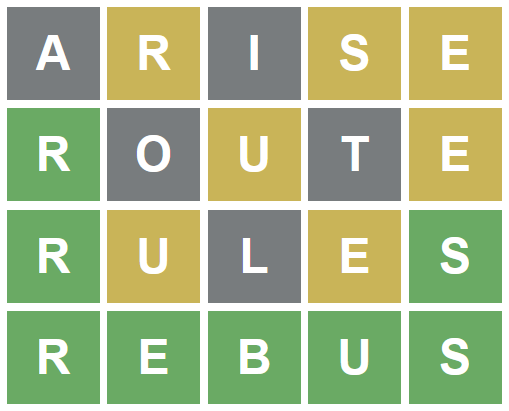
For those who have been living under a rock for the past few weeks, Wordle is a relatively new online word game which has become viral. It is a variation of Bulls and Cows.
You have six tries to guess a five-letter word. Each try reveals letters that the target word has. If your guess has the same letter on the same spot as the target word, the letter is colored green. If the letter is there, but on the wrong spot, it's colored yellow. Finally, if the letter is not in the target word at all, it's colored black. There is a little twist when it comes to the words with repeating letters. If your guess has a repeating letter, it will be colored green or yellow, but only as many times as the target word has it (more about it later).
You can only use dictionary words to make your guesses, the game won't allow you to post garbage and reveal positions of the letters.
Every new try reveals some information about the target word. But when the playfield is empty, we don't have any information at all. We need a good word to start the game of Wordle. And, since the words are (supposedly) chosen randomly, and at the beginning of the game we are absolutely blind, it makes sense to use the same word to start every new game.
Let's use SQL to find this word!
Read the rest of this entry »
Happy New Year: quantum computer emulator in SQL
Last year, my good friend and colleague Matt Ward challenged me to implement a quantum computer emulator in SQL.
Challenge accepted!
This year we will be building an SQL query which will emulate a quantum computer. This query will process quantum assembly, build the circuit, run the emulation and make the measurements.
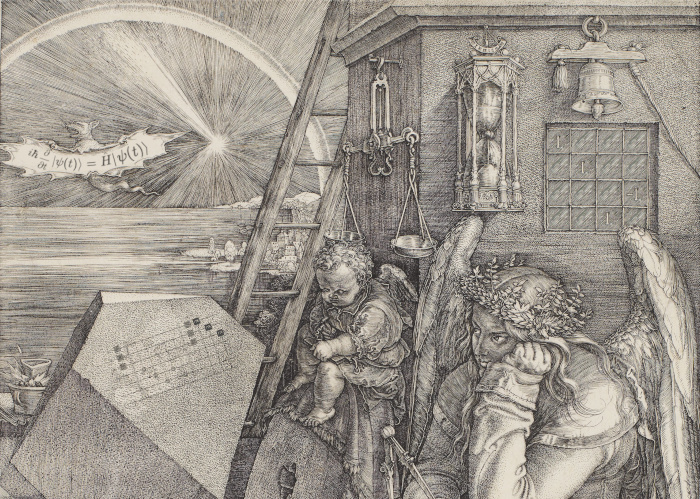
First things first, a little bit of theory. I won't go deep into quantum mechanics now (primarily because I don't understand it well enough to talk about it in public). What we really need to know about emulating a quantum computer, is that it's all about matrix multiplication. Quantum computers run on physical effects which are hard to wrap one's head around, but relatively easy to express using quite simple math. This math is something you can work with, even if you don't understand the physics behind it on an intuitive level.
Theory
For this article, I will assume that you are familiar with the mathematics of matrix multiplication. If you're not, you'll need to read up a little bit on linear algebra. This is not a particularly hard topic, and it's being used heavily in many areas of programming: image processing, sound processing, quantitative finance analysis and many others. It is very rewarding to be familiar with it.
Qubits
So, quantum computers have registers (tiny blocks of memory), in pretty much the same way as the CPU in your laptop or phone does. The data stored in your CPU registers tells it what to do next, and these registers are being constantly updated as your CPU runs code.
Classic registers have bits, which store zeros and ones. These are exclusive: if the bit is on, it's not off, and if it's off, it's not on.
Quantum registers have qubits, which also store zeros and ones. But these zeros and ones are not exclusive. A qubit may be on, may be off, and may be somewhere in between. It's not like an on-off switch, but more like a computer trackball with a permanent marker dot on it. You can turn any way you like, and the dot position reflects the state of the qubit. The closer the dot is to the top (or to the bottom), the more "zero" or "one" the qubit is. The marked dot on the trackball can also turn about the vertical axis, which is also something that the qubit can store.
Happy New Year: 3D picture of the coronavirus in SQL
In my New Year posts I usually try to recap and summarize the past year. It won't take long this time:
Fuck you, coronavirus!
Now that I've gotten that off my chest, I have to think of something to write about in this New Year's post.
So I was thinking, why not put a face to the name we all hate so much?
Let's use SQL to do some ray tracing and draw a 3D picture of the dreaded virus.
By now, I believe we are all familiar with the picture of the virus. It looks like a ball covered with spikes. The spikes look something like the solar corona, which is what gave the virus its name. They have this distinct triangular shape.
We'll create a sphere covered with several dozens of spikes.
Every spike will be a small pyramid, with an equilateral triangle as a base and isosceles triangles as lateral faces. This means it will be a right pyramid.
The pyramids will be "standing" on their apexes, upside-down. The height of every pyramid will be perpendicular to the sphere surface and continue the sphere's radius at the apex.
Then we will implement the pinhole camera model and use ray tracing algorithms to calculate the lighting of the sphere and the spikes.
Types
3D modeling heavily uses vector algebra. Of course pure SQL offers enough math functions to get around. But functions and routines are not first class citizens in SQL, which means we would have to copy-paste the bulky vector manipulation formulas every time we will need them, which would make our query unwieldy really fast.
This is a good chance to get familiar with PostgreSQL's rich system of custom types and custom operators. It lets users define their own types, create functions to work with them and even overload the operators.
Read the rest of this entry »
Happy New Year: a stereogram in SQL
I'm spending this New Year holiday in sunny Florida.
One of its most beautiful places is the Everglades: the endless sea of grass, extending to the horizon, as far as the eye can see and beyond, and teeming with life.
There are all kinds of animals there. Herons, egrets, anhingas; fish, turtles, snakes; otters, skunks, small rodents; and of course, the king of Florida's wetlands, the American alligator.
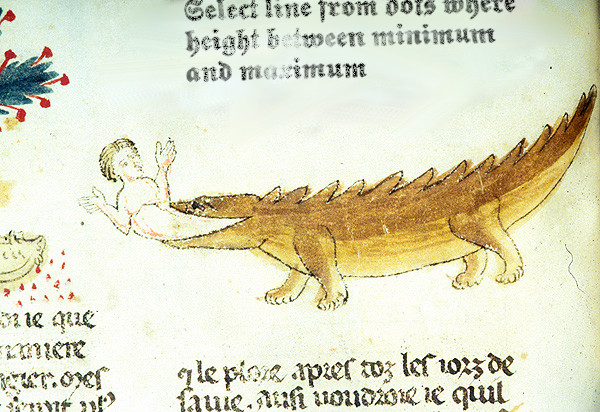
The alligator is a well-oiled killing machine. It's motionless and extremely energy efficient when resting, but deadly fast when hunting. When the alligator is hunting, its eyes instantly track the faintest motion — and a fierce jump in any direction will follow immediately.
I was on a guided tour, and the tour guide mentioned that the alligators have binocular vision. The fields of view of their two eyes overlap, giving the predator the ability to estimate the direction and the distance to its prey more accurately.
We humans also have binocular vision. It allows us to see the world in three dimensions. When we are looking at an object with our two eyes, each eye sees it at a slightly different angle. The closer the thing is to us, the more the difference. This effect is called binocular parallax, and our brain can use it to estimate the distance to the object.
There are ways to trick the brain into believing something is 3D while it's not. To do this, we need a way to project a different image into each eye. There are lots of ways to do that: think holograms, polarized glasses, tilt cards, and many more.
Most of those methods require special equipment and materials, either to see or to produce the image. Maybe even both.
However, there is a way to see a three-dimensional image even on a simple piece of paper (or a plain LCD monitor without any 3D capabilities). It is technically called an autostereogram but most people know them as Magic Eye pictures.
A picture like this looks like repeating patterns of random dots or characters. The frequency of the patterns encodes the three-dimensional image: the close is the part of the image to the observer, the more frequent are the patterns.
It takes some effort to see the depth in what at first seems to be a random dot pattern. Not everyone can do that on the first try. There are lots of resources online which teach how to do that. The good thing is it's like riding a bicycle: once you got it right for the first time, there's no going back, it's always there with you.
Ever since I was a kid, I have been fascinated by the stereograms. So the moment I heard the words "binocular vision" from the tour guide, I instantly knew what would this New Year post be about.
Let's make a stereogram in PostgreSQL!
Happy New Year: GIF decoder in SQL
Comments enabled. I *really* need your comment
As readers of my blog know, SQL is a wonderful tool for graphics processing. You can use it to draw Mandelbrot sets, table game boards and even snowflakes, all in a single query.
As I was preparing this year's entry, I found myself all out of ideas. What image shall we be generating this year? A cat? A pig? A winter scenery? It's all doable in SQL (or course), however I couldn't make myself pick anything in particular. And frankly speaking, even with all the power of SQL at my hands, I'm a lousy artist.
Then an idea struck me. Why try and create art when there's so many excellent artists out there on the Internet, whose work I could just steal put to fair use? And my phone camera makes better pictures than I could ever aspire to create myself.
Images that come out of the camera or from the Internet are all digital and compressed. Digital is of course a good thing when it comes to computer processing, but compressed is a challenge. And challenges is something I like.
So this year, we will be creating a GIF decoder in SQL.
GIF is one of the earliest compressed image storage formats, famous for its early adoption by the World Wide Web and for being named with an acronym no one can agree how to pronounce correctly. At its core lies LZW, a lossless compression algorithm which uses dictionary tables to encode repeating patterns of data. GIF is not the best format out there, of course, and it has fallen out of use in the last years (or even decades). Its algorithm, however, is not particularly memory or CPU intensive and as the image compression algorithms go, its implementation is quite simple. In other words, it makes a perfect SQL exercise.
To become familiar with GIF, I used an excellent GIF tutorial called What's in a GIF? by Eric. S Raymond and Mike Flickinger. This tutorial is built around explanation of contents of a tiny sample GIF file:

and this file is what we will be using during the first part of our journey.
Let's get started!
Read the rest of this entry »Happy New Year: Settlers of Catan in SQL
One of the best New Year presents I've ever got was a copy of the German-style board game, The Settlers of Catan.
This game has brought me and my friends many an hour of good entertainment.
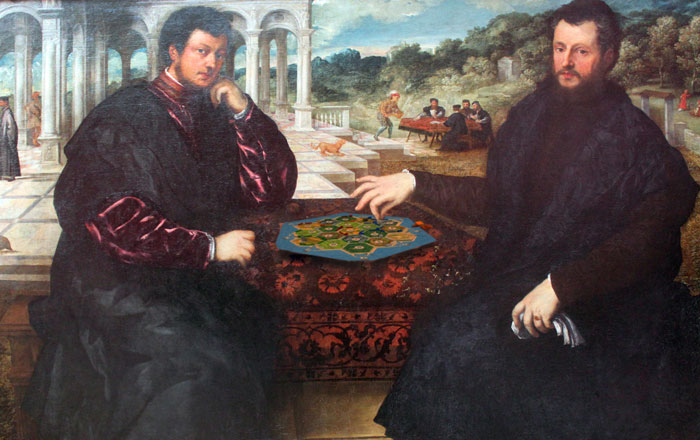
The game is played on a hexagon field with 19 hexagon tiles (3 + 4 + 5 + 4 + 3), which have to be randomly put into appropriate places. In addition, 18 of those tiles have a score token on it, which has to be put there, also randomly, albeit with some limitations. Finally, 9 more pieces (harbors) have to be randomly put to their places, which are printed on the game field.
Today, we'll be implementing the Almanac Variable Catan setup using SQL.
Happy New Year: the Sultan’s Riddle in SQL
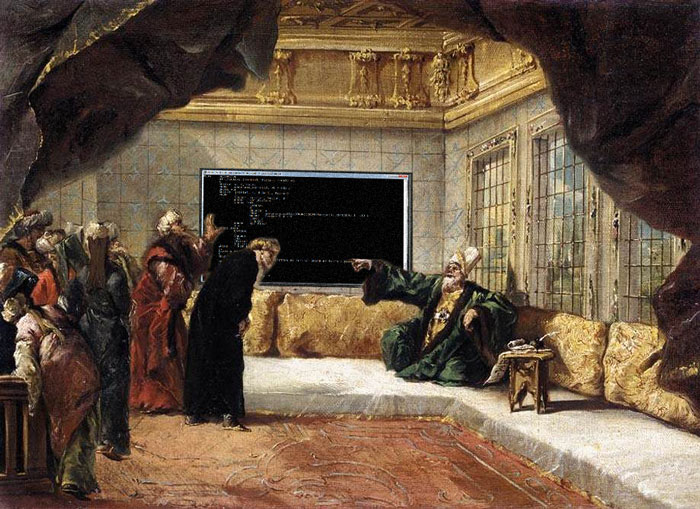
Here is a riddle I read a long time ago in Nauka i Zhizn, a popular Russian science magazine.
The Sultan's Riddle
Once upon a time there was a Sultan who was looking for a vizier to help him rule his country. It became known to him that among the multitudes of his loyal subjects that populated his glorious empire, two were regarded as the most wise and sharp in mind. Their names were Ali-ibn-Wali and Wali-ibn-Ali. The Sultan summoned the men to his palace and ordered them to stand in front of him.
"It has come to my attention that you, Ali, and you, Wali, are the smartest men of all the people of Faith. Is that right?", asked the Sultan, sipping his sharbat. "We do know a thing or two of the beasts of the land and the fish of the sea and stars of the sky, indeed, but your sheer wisdom, o Great Sultan, outshines whatever puny bits of knowledge we might have and makes words coming from our mouths sound like child's babbling", said the wise men, kneeling before the Sultan (as they were truly wise and knew how to talk to a man of high power).
"Good, good," said the Sultan with a sneer, "I see you are good with words but are you as good with numbers? Let me test your knowledge."
"A diviner once came to my palace and revealed two numbers to me," continued the Sultan, "one being my lucky number, and another one being my unlucky number. Each of these numbers is more than one and less than a hundred. I never tell these numbers to anyone as this could put the fate of my empire in enemy's hands. But I am going to multiply those numbers and secretly tell their product to you, Ali, and then I am going to add those numbers and secretly tell their sum to you, Wali. If you are as wise as they say, you will have no problem figuring out those numbers."
And then he ordered the men to approach him and kneel before him, and he whispered the numbers to their ears.
Once Ali raised from his knees, he stood there for a moment, silently moving his lips, and then said: "Unfortunately, о the Brightest One, I cannot tell you those numbers."
"This is true," confirmed Wali, stroking his beard.
"Thank you, most esteemed Wali," said Ali, his face brightening with joy. "Now I can tell those numbers."
"Thank you too, most esteemed Ali," answered Wali. "Now I can tell them too."
And they whispered the numbers to the ear of the astonished Sultan, and they turned out right. And they both were appointed viziers.
Can you tell those numbers?
At first glance, this riddle seems impossible to solve. However, if we carefully read and parse what did Ali and Wali say, we can easily solve this riddle too. And to make things even more fun, we'll do that in SQL.
Happy New Year: Conway’s Game of Life in SQL
It's Yuletide again and today I'd like to tell about an old tradition in Russia. Its origins can be traced back to pre-Christian, pagan rites of the ancient Slavic tribes.
Each year on the Christmas eve, when it is freezing cold outside and the Grandfather Frost comes out to inspect his vast domain, young girls gather in an old, poorly lit bathhouse and try to look into the future.
There are many ways to do a Christmas divination: some prefer candle wax, some go with cats or mirrors, some use a good old deck of cards. But the old women can tell you of another way to look into the future. It requires skill and patience, but it is said an intrepid soul brave enough to look the eternity in the eye can unveil the mystery of the future and see the good and the bad that the next year will bring.
To do this, you need a large enough checkered board and a bag of dried beans, black and white. Carefully arranging the black beans into letters three squares wide and five squares tall, you write your question on the board. When ready, you exclaim the magic words: "RENDRAG! YAWNOC! NNAMEUN NOV!" and begin the magic rite.
Those of you who can spell backwards can scroll down now.
Those who are not familiar with Conway's Game of Life and don't believe in Christmas magic, can google for it (do it, if you never have, it's fun).
And I will go on and explain the rules to the rest of my readers who do believe in magic pagan rites.
First, you check how many black beans surround each tile on the board. If it is surrounded by exactly two black beans, it stays the same next turn, for the two is the number of the true love; if it is surrounded by exactly three, it gets the bean next turn, for the three is the number of new life; any other number means the tile is empty the next turn, for empty is the world devoid of life and love.
You use the white beans to mark the tiles which are to get or to lose the bean on the next turn, for white means change.
If you are close to the edge of the board and don't have adjacent tiles from either side, wrap around to another side, that is top to bottom, left to right or vice versa. This symbolizes the old belief that our world was bagel-shaped.
Singing an ancient song, you do the divination turn by turn, moving the beans around. With time, certain patterns emerge on the board. Some resemble a crane, some resemble a beehive, other just seems chaotic. When you do as many turns as there are days in the new year, you look at the patterns and interpret them.
Now, let's try to do this in SQL. We'll be using PostgreSQL 9.4 as it supports some very nice features.
 Subscribe in a reader